
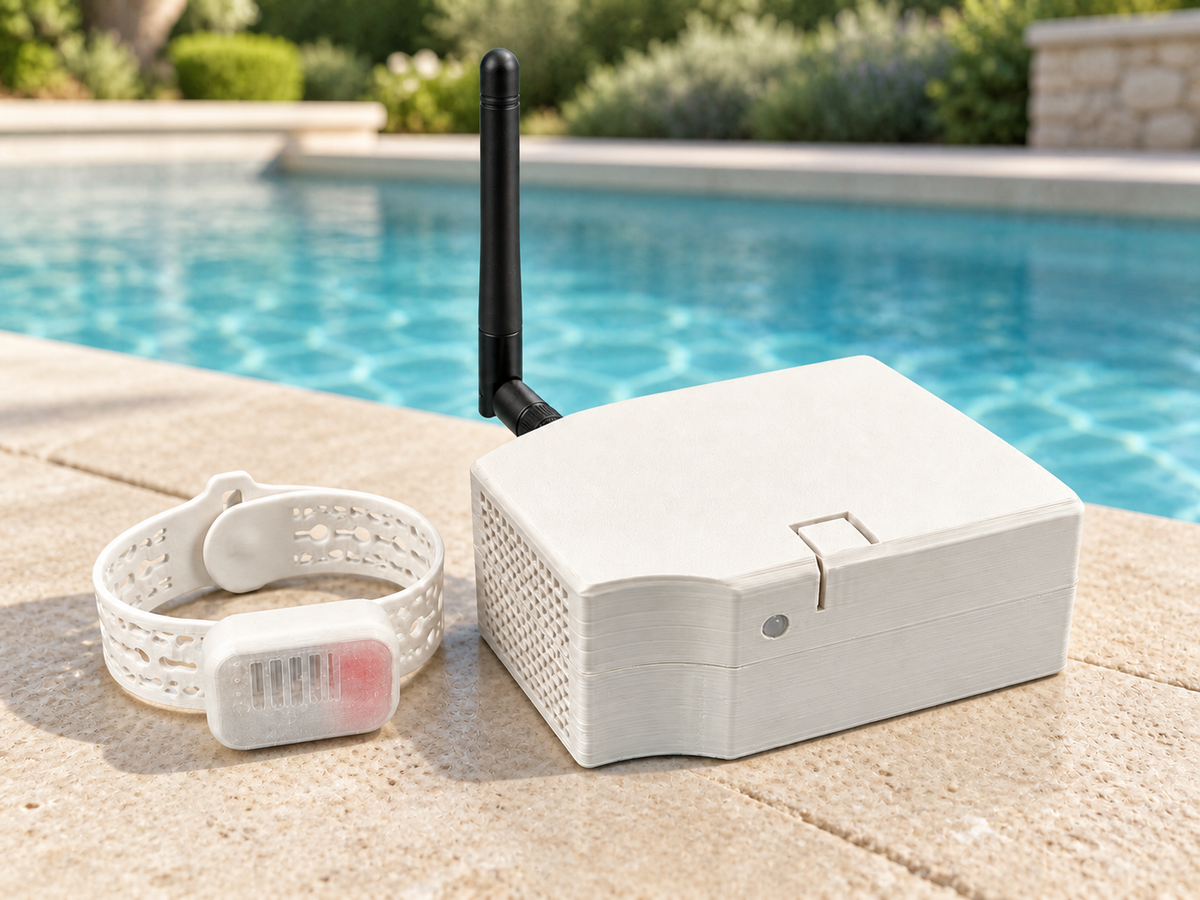
What's in the box
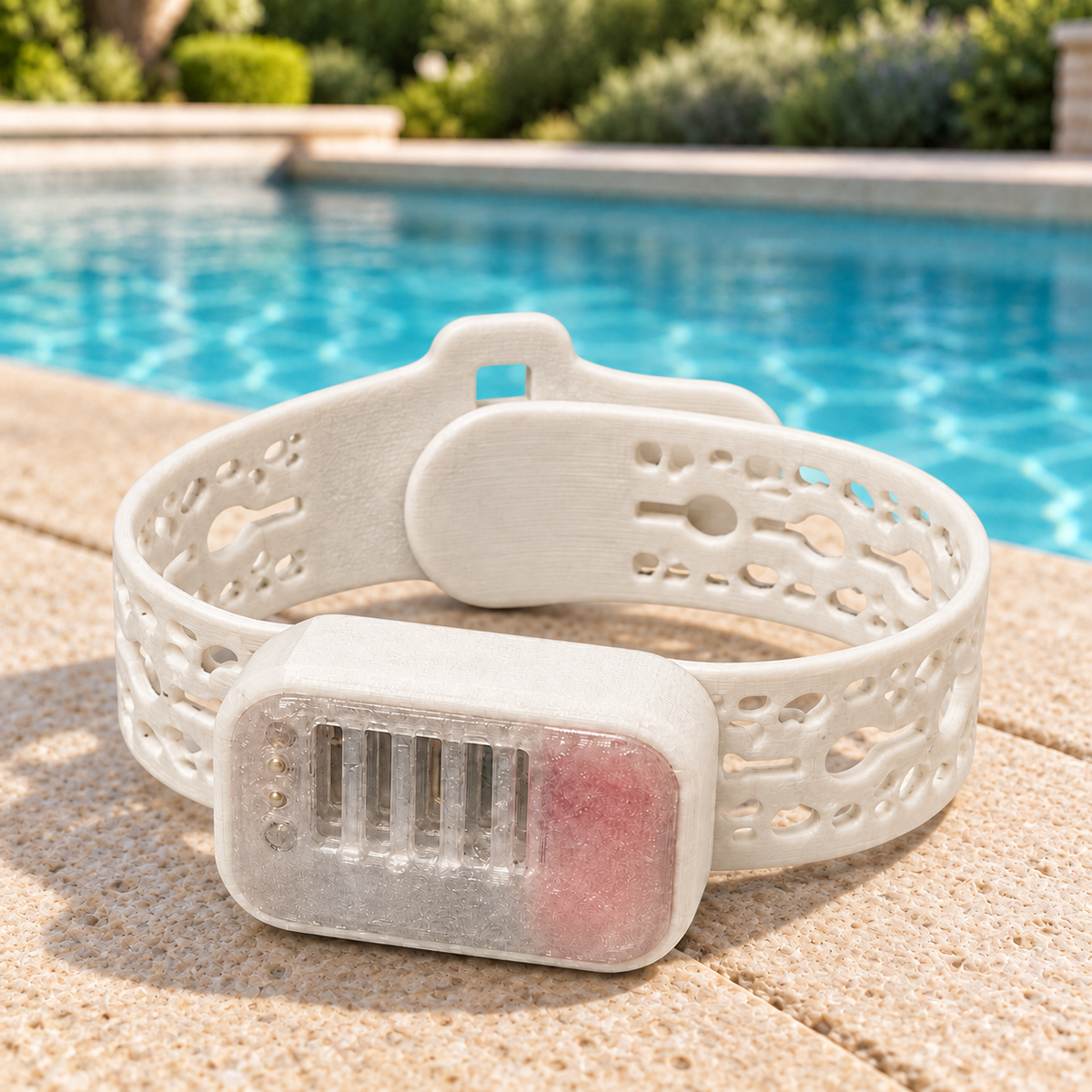
- The band. Rechargeable, fully waterproof, and light enough to forget about.
- The hub. Sits by the water with a built-in siren, and listens for the band directly.
- Power adapter. The hub has its own battery, but it's meant to live plugged in. The battery is there for power cuts, or for somewhere without a socket, a lake, a campsite.
- Setup guide. A short printed card with the same steps as below.
Setup, step by step
A few minutes, once. Do it before you need it.
-
Unbox everything
Band, hub, power adapter, setup card.
-
Download the app
WaterWatch is free on iPhone and Android.

-
Connect the hub to power
Plug the adapter into the hub and into a wall socket. At home the hub stays plugged in. It has its own battery so you can take it somewhere without power, a lake or a campsite, and it keeps running through a power cut.

-
Connect the hub to Wi-Fi
The app walks you through it. This is the one step that uses Bluetooth, it's how your phone hands the hub your Wi-Fi details.
Wi-Fi is only used to send alerts to your phone. The band and hub talk to each other directly.

-
Pair each band
One band at a time, from the app.

-
Name each band
Give every band the child's name. Alerts say which band, so this is what tells you who.

-
Test it
Do not skip this. The next section covers exactly what to check.

-
Place the hub
Put it where you can hear the siren from inside the house, with a clear line to the water.


Stuck on any of these? Email support@wtrwatch.com.
Test it before you rely on it
This is the one that matters most. Repeat it at the start of every season.
-
Dunk the band
A bucket, a sink, the pool itself. Dunk it briefly.
-
Confirm the siren fires
Stand where you normally would, inside, kitchen, back door, and check you can hear it from there. If you cannot, move the hub.
-
Confirm the notification lands
Check it reaches your phone, and check the band name is right. Do this with your phone locked and on silent, the way it will actually be.
If any part of this does not work, it is not set up yet. Email support@wtrwatch.com and we will work through it with you.
Living with it
- Putting it on. Fasten it snug enough that it will not slide over the hand. It arms itself, there is nothing to switch on.
- Baths, sinks and sprinklers. The band stays on. It cannot tell indoor water from a pool, so expect the odd false alarm from a bath or a sprinkler. That is the trade for it never being off when it matters.
- After it gets wet. Tap it against a towel, blow lightly across the sensor, and leave it face down. Water sitting in the sensor can keep it triggering, and how long that takes to clear varies. Wait until the light goes back to its normal green blip before you put it back on.
- Band. About an hour to charge, and around two days per charge in normal use.
- Hub. Mains powered, with a built-in battery for power cuts and off-grid use.
- The light. Both the band and the hub use a single colour-changing light to tell you what's going on. Full breakdown below.
- Silencing the siren. Hold the button on the hub for three seconds. Check on your child first, always.
What the lights mean
Both the band and the hub use one colour-changing light. Open either for the full list.
The band's light
One light, colour coded. If two things are true at once, the more urgent one wins.
- Rainbow sweep
- Starting up. A few seconds after it wakes.
- Breathing red
- On the charger. It fades in and out slowly while charging.
- Orange flash
- Battery getting low. Charge it before the next swim.
- Dim red pulse
- Battery critical. Charge it now, it is close to shutting down.
- Faint green blip
- Normal. A small pulse as it checks in with the hub. This is what you should see most of the time.
- Bright red flashing
- Water detected. The band is transmitting the alarm.
The hub's light
- White
- Starting up. Briefly, at power on.
- Fast red blink
- Alarm. A band is in water right now.
- Amber pulse
- The hub has stopped hearing from a band. Check the band is charged and in range.
- Purple pulse
- A paired band's battery is low. The hub is telling you on the band's behalf.
- Steady green
- All good. Hub charged, Wi-Fi connected, bands reporting.
- Steady yellow
- Hub battery is middling. Fine, but worth plugging in.
- Pulsing amber or orange
- Hub battery low, then critical. The faster it pulses, the more urgent.
- Slowly blinking instead of steady
- No Wi-Fi. The siren still works, it is the phone notification that stops until Wi-Fi is back.
The colour tells you the state; a slow blink on top of any colour means Wi-Fi is down.
Troubleshooting
The band will not pair
Make sure Bluetooth is on and you are within a few feet of the hub. Close the app fully and reopen it, then try again. If it still will not pair, the band may need charging, a very low battery can stop pairing.
The hub shows as offline
Check it still has power, then check your Wi-Fi is up. The hub reconnects on its own once the network is back.
Worth knowing: an offline hub still sounds its siren. It is the phone notification that stops until it reconnects.
The siren fired but no notification arrived
Almost always notification permissions or a network drop. Check WaterWatch is allowed to send notifications, and that it is not muted by a focus mode or a do-not-disturb schedule.
I am getting false alarms
The band triggers on water, so a bath, a sink, sprinklers or heavy rain will set it off. That is the trade for it never being off when it matters.
After it gets wet: tap it against a towel, blow lightly across the sensor, and leave it face down. Water sitting in the sensor can keep it triggering, and how long that takes to clear varies. Wait until the light goes back to its normal green blip before you put it back on.
If it triggers when dry, stop using it and email us, that is a fault, not a setting.
The battery is low
A red LED means charge it before the next swim. Do not rely on a band showing low battery.
Anything not covered here? Email support@wtrwatch.com and we'll get back to you.
Still stuck?
Email support@wtrwatch.com with your order number and what the lights are doing, and we will work through it with you.
If any part of the test does not work, stop and email us before you rely on it.